
You finally have a WordPress site you are proud of, and now someone says you need hosting. A quick search shows dozens of plans, all promising speed and support, and the prices are all over the place. It is hard to know what you are actually buying.
Here is the short answer. WordPress hosting in Canada means paying a company to keep your WordPress site on a server that is always connected to the internet, so customers can open it any time. The best choice for a small business is not the cheapest plan or the longest feature list. It is the plan where someone looks after updates, backups and problems, so you can run your business in Innisfil, Barrie or anywhere in the GTA without worrying about your website.
Understand What WordPress Hosting Means
Your website is a set of files and a database. Hosting is the computer, called a server, where those files live and where visitors connect when they type in your address. Without hosting, your site has nowhere to be.
“WordPress hosting” simply means hosting set up to run WordPress well. Some plans are plain space that happens to run WordPress. Others are tuned for it and handle updates and security for you. The difference matters more than the label on the plan.
Shared hosting
Many websites share one server and its resources. It is usually the lowest price, and it can be fine for a small, quiet site. When a neighbour on the same server gets busy, your site can slow down.
Managed WordPress hosting
The host looks after the technical side: updates, security checks and backups. You pay more than for basic shared space, but you are paying for someone else to do the work. For most owners who do not want to touch a server, this is the sensible category.
Dedicated or self-run servers
Your site sits on a server set aside for you or run by the people who built your site. You get more control and fewer surprises from other sites. It usually suits businesses that depend on their website to take bookings, enquiries or orders.
Know Why the Cheapest WordPress Hosting Can Cost You More
Everyone searches for the cheapest WordPress hosting, and it is fair to want to keep costs down. A small business does not need a big monthly bill. The trouble is that a low price often leaves things out, and you find out when something breaks.
A very cheap plan may leave you to do your own updates, set up your own backups and wait in a queue for support. It may also be a low introductory price that jumps when the first term ends. None of that is a trick you cannot avoid, but you have to look for it before you sign.
Think about what an hour of your website being down costs you. If a customer in Alcona or Cookstown finds a blank page when they look for your phone number, they will probably try the next business on the list. Saving a little on hosting is not a saving if it loses you a job. For a closer look at what owners pay, read Website Hosting Cost in Canada: What Owners Really Pay.
Check These Things Before You Pick a WordPress Host
Plans and price pages look alike. These questions are what separate a host you can trust from one you will regret. Ask them of any company, including us.
Ask where your site is hosted
Many Ontario owners prefer their site to be hosted in Canada, for speed for local visitors and for keeping business data close to home. Not every plan with a Canadian-sounding name actually keeps your site here. Ask plainly where the server is. We cover the reasons in Web Hosting in Canada: Why Host Your Site Here.
Find out who handles updates and security
WordPress, its themes and its plugins need updates. Skipped updates are one of the most common ways sites get hacked or break. Ask whether the host does the updates, you do them, or nobody does. If the answer is “you”, be honest about whether you will.
Confirm backups and who restores them
A backup is only useful if someone can put it back. Ask how often backups are made, where they are kept and who restores the site if something goes wrong. If the answer is “you can download it and work it out”, that is not help. Our guide to a simple website backup and recovery plan walks through it.
Look at support you can reach
When your site is down, you need a person, not a help article. Check whether you can talk to someone, how you reach them and whether they understand small business websites. A host that answers in plain language is worth a lot on a bad day.
Compare the renewal price, not just the first one
Introductory pricing is common. Ask what the plan costs after the first term, and whether the domain name, business email and security certificate are included or extra. The renewal price is the number you will really live with.
Follow Five Steps to Choose Your WordPress Host
If you feel buried in options, work through these steps in order. They work whether you are comparing the best WordPress hosting in Canada for 2026 or a small local option.
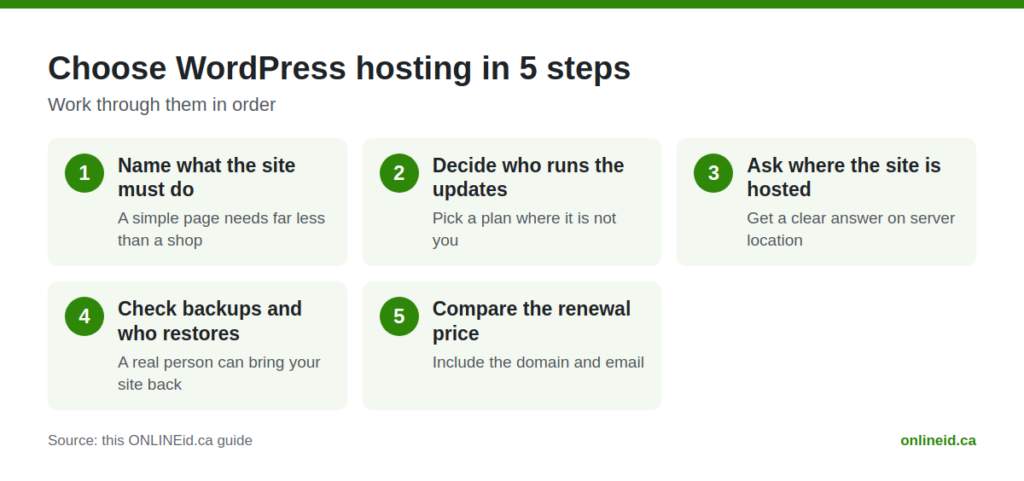
- Name what the site must do. A simple page with your phone number needs far less than a site with bookings, forms or an online shop.
- Decide who runs the updates. Pick a plan where that person is not you, unless you really want the job.
- Ask where the site is hosted. Get a clear answer on the server location.
- Check backups and who restores them. Make sure a real person can bring your site back.
- Compare the renewal price. Add up the full cost after the first term, including the domain and email.
Most owners find the choice gets easy once they know the answers to those five questions. The list of plans shrinks quickly.
Look at WordPress + Hosting From ONLINEid.ca
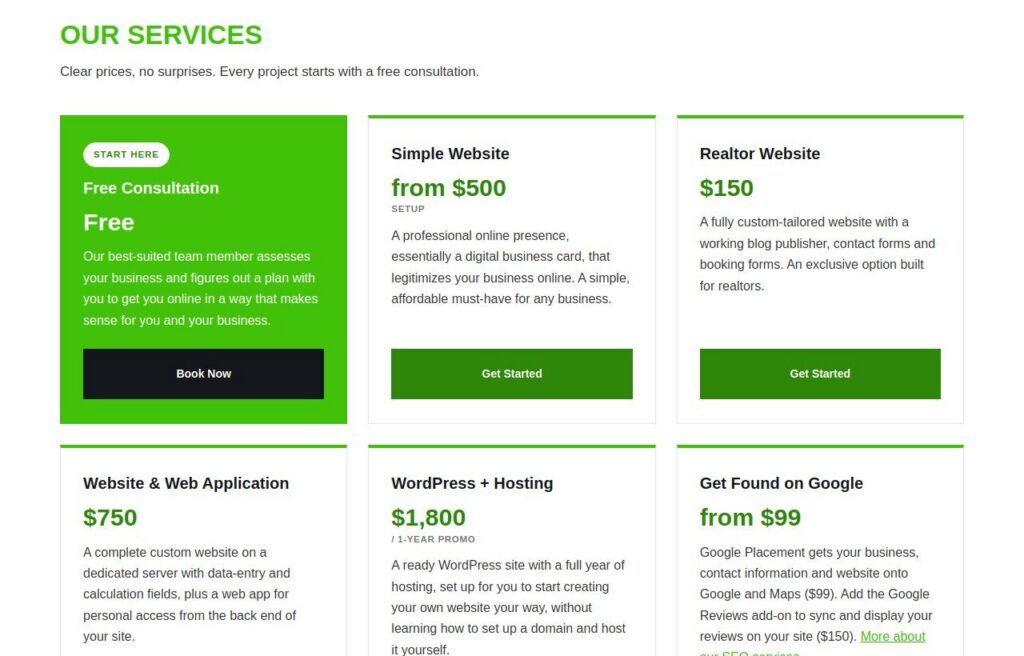
If you would rather not compare plans at all, we offer a package that puts the site and the hosting together. WordPress + Hosting is $1,800: a ready WordPress site with a year of hosting on servers we run ourselves. It is a 1-year promo.
Running the servers ourselves means the people who set up your site are also the people who look after where it lives. When something needs attention, you are not passed between a web designer and a hosting company who each say it is the other’s problem. You call us.
If your needs are bigger, a custom site on a dedicated server is a different service, and you can see all our options on the Services and Pricing page. A custom site is also where DrX tools come in. ONLINEid.ca is an authorized developer for the DrX WordPress plugins from DoctorX, and we build WordPress sites with them when they fit.
Get Website Help Before Hosting Becomes a Problem
You may already have a WordPress site on a host you are not sure about. Maybe it is slow, maybe the emails from your contact form go missing, or maybe nobody remembers who set it up. That is a common situation for local businesses in Orillia, Newmarket, Aurora and across Simcoe County.
You do not need to move anything to start. Our website help service covers sites that are down, forms, email, domains and certificates, hacked sites, updates, backups and hosting. The first look is free, then we give you a price for the fix before any work starts. No surprise bill.
If you want the bigger picture on keeping a site healthy, see our page on website maintenance and hosting. And if you are about to sign with a host, read 6 Mistakes Local Businesses Make When Choosing Website Hosting first. It could save you a headache.
Questions Owners Ask
What is the best WordPress hosting in Canada?
There is no single best for everyone. The best plan is the one that fits what your site does, keeps your site hosted where you want it, handles updates and backups, and gives you a person to call. A busy booking site and a one-page business card need different things.
What is the cheapest WordPress hosting in Canada?
Basic shared plans are usually the lowest price. They can work for a small, simple site if you are happy to do updates and backups yourself. If you are not, the cheapest plan can end up costing more in lost time and fixes.
Do I need Canadian hosting for a small business?
You do not need it to have a working website, but many Ontario owners prefer it. It keeps your site close to local visitors and your data in the country. Ask any host plainly where your site will live, then decide what matters to you.
Can I move my WordPress site to a new host?
Yes, a WordPress site can be moved. It is best done carefully, with a backup first, so your pages, forms and email keep working. If you are unsure, start with a free first look through our website help service and we will tell you what is involved before any work starts.

Talk It Through With a Real Person
Hosting should not be the part of your business that keeps you up at night. If you want help choosing, or you just want a straight answer on the site you already have, book a free consultation with ONLINEid.ca at https://onlineid.ca/contact/. A team member will look at your business and make a plan with you.