
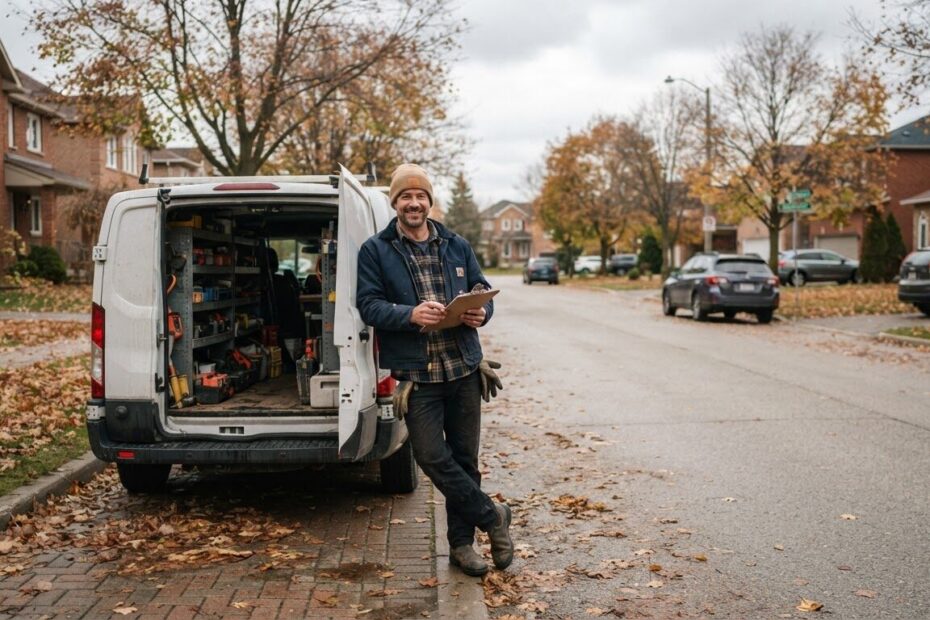
A customer in Alcona picks up the phone and asks, “Do you do this kind of job?” You do, of course, and you have for years. But your website lists it as one line in a long paragraph on the home page, so they had no way to know before calling.
This happens to many local owners. You offer a good range of work, so you put it all in one place and hope people find what they need. The trouble is that customers and search engines both look for a clear answer, and one crowded page rarely gives it. That is where service pages for local business come in: one simple page for each main thing you offer.
Understand Why One Big Page Leaves Customers Guessing
Think about how people search. Most people start on their phone with something specific, like the exact job they need and the town they live in. They are not looking for a business that does a bit of everything. They want to see that you do the one thing they need.
When every service sits on a single page, each one only gets a sentence or two. Search engines read your site the same way a visitor does. If the page is about ten different things, it is hard to say what it is mostly about, and so it is hard to match it to a specific search.
A visitor who lands on a crowded page also has to hunt. Some will scroll. Many will simply go back and try the next result. A page that answers their exact question quickly keeps them with you.
Start With the Jobs You Want More Of
You do not need a page for every small task. Begin with the handful of services that matter most to your business, the ones you would happily do all week.
Ask yourself a few plain questions:
- Which jobs pay the bills and keep you busy?
- Which jobs do customers ask about most often?
- Which jobs would you like more of, even if you do them rarely now?
- Which services are different enough that they need their own explanation?
A landscaper in Bradford West Gwillimbury might choose spring clean-ups, lawn care and snow removal. A hair salon in Barrie might choose cuts, colour and bridal styling. A bookkeeper in Newmarket might choose small business bookkeeping, payroll and year-end support. Each of those deserves its own page because each answers a different question.
Give Each Service Page the Same Simple Shape
A good service page is not long or fancy. It follows the same shape every time, which also makes it easy for you to write and easy for customers to read.
Use a Plain Title That Says What You Do
Name the service the way your customers say it. “Furnace Repair in Innisfil” is clearer than a clever phrase. If you would say it out loud to a neighbour, it is probably the right wording.
Describe the Service in Everyday Words
Write a few short paragraphs. Say what the service is, who it is for, what is included and how it usually works. Skip the jargon and the long history of your company. Someone reading on a phone in a parking lot should get the point in moments.
It also helps to answer the questions you hear all the time. Do you bring your own equipment? Do you work on weekends? Do you offer a free estimate? Those answers remove doubt before the customer has to ask.
Say Where You Work
Mention the areas you serve in a natural sentence, such as “We look after homes and businesses in Innisfil, Lefroy, Cookstown and across Simcoe County.” This tells customers they are in the right place, and it tells search engines which towns the page is for.
Finish With One Clear Next Step
Every service page should end by telling the visitor what to do next. One button or one line is enough. Do not leave them wondering how to take the next step.
Make It Easy for Customers to Say Yes
A page that explains your service well but offers no way forward is a missed chance. The call to action is what turns a reader into a customer, so put it where they will see it without scrolling around.
Keep it simple and specific. “Book a free consultation” works well because it asks for very little and the customer risks nothing. It also suits services where you need to hear about the job before you can give a fair answer.
Place the link near the top of the page, and again at the bottom. If someone is already convinced after two paragraphs, they should not have to read the rest to find the button. If they need to read everything first, the second link will be waiting for them.
If your work involves quotes, you can pair the page with a short request form. Our post on how a simple quote request form helps Simcoe County trades win more jobs goes into that in more detail.

Name Your Towns Without Overdoing It
It is tempting to repeat every town name again and again, hoping to be found everywhere. That makes the page awkward to read, and customers notice. Write for the person first.
One good approach is to be honest about where you actually work. If your main base is Innisfil and you regularly travel to Barrie, Orillia and Cookstown, say so once or twice in plain sentences. If a service is mostly for homes in one area, say that instead. Clear and truthful beats long lists.
You can also add a small touch that only a local would know. Mentioning a type of home common in your area, or how the weather in Simcoe County affects the job, shows you really work here. It builds trust in a way a generic page cannot.
Connect Your Pages So Visitors Can Move Around
Once you have a few service pages, link them together. A page about one service can point to a related one. Your home page can list each service with a short line and a link. This works like a menu, and it helps visitors and search engines see how your site fits together.
If you are not sure how to lay that out, our step-by-step guide on how to set up a simple job or service menu page on your website shows how to build the main list that leads to each service page.
It also helps to make sure people can find your business on the map, not only on your site. A Google listing with your details gives customers another way to reach your pages. We explain this in why a simple Google placement gets your Simcoe County business on the map. If you want help with that part, Google Placement is $99 and puts your business, contact details and website onto Google and Maps.
Avoid the Mistakes That Make Service Pages Weak
Most service pages go wrong in the same few ways. Check yours against this list:
- Copying the same text onto every page. If each page says nearly the same thing, none of them stands out. Write each one for its own service.
- Writing too little. A single sentence does not answer anyone’s question. Give the customer enough to feel sure.
- Writing too much. Long blocks of text on a phone get skipped. Use short paragraphs and a few bullet points.
- Hiding the contact step. If the visitor has to dig for how to reach you, many will not bother.
- Leaving the page to go stale. If you stop offering a service or change how you work, update the page so it stays accurate.
Keep It Honest and Keep It Yours
Your service pages should sound like you. Customers in Innisfil, Aurora or Toronto can tell when a page was written to impress rather than to help. Use the words you use on the job. Describe the work you really do.
This is also why generic templates tend to fall short. A page that could belong to any business in any town does not tell a local customer why you are the right choice. A custom site lets each page reflect your actual services, your area and your way of working.
None of this is a promise of instant results. A clear page does not guarantee a phone call tomorrow. What it does is remove the guesswork, so that when someone is looking for exactly what you offer, your business is easy to understand and easy to contact.
Start Small and Build From There
You do not have to rebuild your whole website this month. Pick your top service and write one good page. Add the call to action, check that it reads well on a phone, and then move to the next one.
If you are starting with no site at all, a Simple Website from $500 setup gives you a professional online presence, a kind of digital business card, and it can grow with your service pages over time. You can see everything we offer on our Services and Pricing page.
For an overview of how being found works more broadly, our post on how local SEO helps Simcoe County businesses get found by customers who are ready to buy is a good next read.
As autumn turns toward winter, many owners use the quieter weeks to tidy their websites before the busy season returns. A little time spent now on your service pages means they are ready when customers start searching again.
Talk Through Your Services With Someone Local
Working out which services deserve a page, and how to describe them, is easier with a second set of eyes. In a free consultation, a team member looks at your business and makes a plan with you, so you know which pages to build first and what each one should say.

If your website lists everything on one page and you would like customers to find the right service faster, we would be glad to help. Book a free consultation with ONLINEid.ca and let’s look at your business together.