
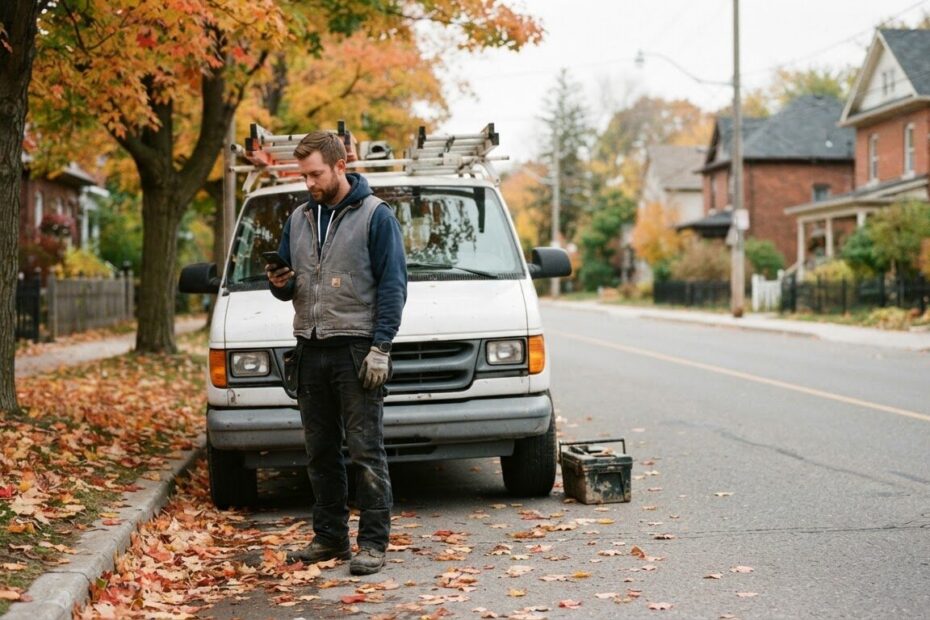
You are under a sink in Alcona, up a ladder in Cookstown, or halfway through a haircut in Bradford West Gwillimbury when your phone buzzes. It is a new enquiry from your website. You cannot answer it right now, so you tell yourself you will get to it at lunch.
Meanwhile, the person who sent it is still holding their phone. They have probably sent the same message to two or three other businesses. This is why an enquiry auto-reply for business is one of the simplest tools a local owner can add. It makes sure the customer who asked first hears back first, even when you are busy.
Understand Why the First Reply Often Wins the Job
When people need something done, they want it handled. They are not always hunting for the lowest price or the fanciest website. They want to know someone is there, that someone is listening, and that the problem is about to get solved.
The first business to answer tends to feel like the safe choice. It has already started the conversation, and that counts for a lot. A second reply that arrives hours later has to work harder just to catch up.
Most people also search and send enquiries from their phone, often in a spare moment between other things. If nobody answers, they do not sit and wait. They move to the next name on the list.
None of this means you should be glued to your phone all day. It means the first few minutes after an enquiry matter, and you can cover them without being there in person.
Know What a Good First Reply Says
An auto-reply is not meant to close the sale. Its job is to keep you in the running and make the customer feel looked after. A good one is short, warm and useful.
Say Thanks and Use Their Name
Start by thanking them and using the name they typed into your form. It sounds small, but it tells the person a real business received their message, not a black hole.
Tell Them What Happens Next
People relax when they know the next step. Say who will contact them and roughly when, for example "today before 5 pm" or "first thing tomorrow morning." Only promise a time you can keep.
If you are closed for the day, say so plainly. "We are closed for the evening, and we will be in touch tomorrow morning" is honest, and honest builds trust.
Ask One Easy Question
Give the customer something small to do while they wait. It might be "What is the best number to reach you?" or "Send us a photo of the area if you have one." This keeps the conversation moving and often saves you a round of back-and-forth later.
Here is a simple example you could adapt:
Hi Sam, thanks for getting in touch with us. We got your message and someone will reply today. If it is urgent, call us any time and our answering line will put you through to the team. In the meantime, if you can tell us your address and a good time to reach you, that will help us get you an answer faster.
That is about fifty words. It does not need to be clever. It needs to sound like you.

Set Up What Happens Behind the Scenes
The visible part is just a short email or message. The useful part is the little system behind it. You do not need to be technical to understand what should be happening, and that helps when you talk to whoever builds or looks after your website.
- A clear enquiry form. Ask for the name, a phone number or email, and a short description of what they need. Fewer fields means more people finish the form.
- An instant auto-reply to the customer. As soon as the form is sent, the customer gets your thank-you message by email, with your phone number in it.
- A notification to you. The enquiry should land in your pocket as an email or alert, so you see it between jobs without logging in to anything.
- One place where enquiries are kept. Even a simple inbox folder works. What matters is that nothing gets lost when you are busy.
- A routine for the human reply. The auto-reply buys you time, but a real person should still follow up. Pick two moments in your day, say mid-morning and end of day, and clear your enquiries then.
If your website is a custom build, these pieces can be wired in properly rather than patched on. That is the kind of thing we set up for local owners, and it fits naturally alongside the ideas in our post on simple automations that cut admin and phone tag.
Keep an Answering Line Picking Up Any Time
Not every enquiry comes through a form. Plenty of people still call, especially when something is urgent or they simply prefer to talk. If your phone rings while you are on a job and goes to a dead voicemail box, that caller has the same problem as the person who filled in your form.
An answering line that picks up any time closes that gap. ONLINEid.ca runs its own A.I. answering line at (289) 807-6364. It answers at any hour and puts the caller through to the team. Whether you use ours as an example or set up something similar for your own business, the idea is the same: nobody gets silence.
Think about the times you cannot pick up:
- You are on a job with your hands full, or on a roof where you should not be answering anyway.
- You are with a client and do not want to interrupt them.
- It is evening, a Sunday, or a holiday, and you are closed.
- You are driving between Barrie, Orillia and Innisfil and need your attention on the road.
In each of those moments, a caller who gets a friendly voice and a path to the team is far more likely to stay with you than one who hangs up on a ringing phone.
A text sent right after a missed call can also help. It tells the person you saw the call and will be back to them. If a text-back like that interests you, it is a good thing to raise in a consultation.
Make It Easy for Customers to Reach You in the First Place
An auto-reply only helps if people can find a way to enquire. Look at your site on your own phone, with your thumb, the way a customer would. Can you find the phone number straight away? Is the form short enough to finish on a small screen?
A tap-to-call button is one of the easiest ways to take the friction out. We wrote about why a click-to-call button changes how local customers reach you, and it pairs well with everything in this post. A customer can tap once to call, and your answering line takes it from there.

Avoid the Mistakes That Make Auto-Replies Feel Cold
Automation can go wrong when it sounds like a machine and tells the customer nothing. A few things to watch for:
- Stiff wording. "Your submission has been received" sounds like a government form. Write the way you talk across the counter.
- No phone number. If someone is in a hurry, they should be able to call straight from the reply.
- Promises you cannot keep. If you say "within the hour" and then call back the next day, the auto-reply has done damage instead of good.
- No follow-up. The auto-reply opens the door. A real reply from you still has to walk through it.
- Never testing it. Fill in your own form with a spare email address and see what arrives. Do it on your phone too. You will spot problems quickly.
Start Small This Week, With No Tech Knowledge Needed
If you run a business in Innisfil, Lefroy, Newmarket, Aurora or anywhere else in Simcoe County and the GTA, you do not need to build everything at once. Here is a simple way to begin.
- Write your first reply. Use the example above as a template. Keep it under sixty words and put your phone number in it.
- Check your form. Make sure it asks only what you really need, and that you get a notification on your phone when someone sends it.
- Decide your reply times. Choose when you will clear enquiries each day, and put that into the message.
- Sort out your calls. Decide what happens when you cannot pick up, whether that is an answering line or at least a clear voicemail and a text.
- Test it as a customer. Send yourself an enquiry, call the number when you are away from your desk, and note what you would think if you were the customer.
Once the replies are in place, the next step is looking after the people who have already asked. A simple customer email list is a good follow-on, and our post on how a customer email list fills a local business’s slow days shows how.
If you are not sure where your website stands, our Services and Pricing page lays out what we build and what it costs, from a simple website starting at $500 setup to a full web application.
Remember the Customer Who Asked First
Every enquiry is a person who chose to ask you. They were not forced into it, and they have not decided yet. A quick, friendly, honest reply tells them they picked the right business to contact.
You do not have to be reachable every minute. You just need your website and your phone line to be reachable for you. That is what an enquiry auto-reply for business does best: it holds the place for you until you can step in, so the work you are doing right now does not cost you the next job.

If you would like help setting this up, ONLINEid.ca can look at your website, your phone situation and the way enquiries reach you today, then build a simple plan with you. Book a free consultation with ONLINEid.ca and a team member will talk it through with you, with no pressure and no jargon.