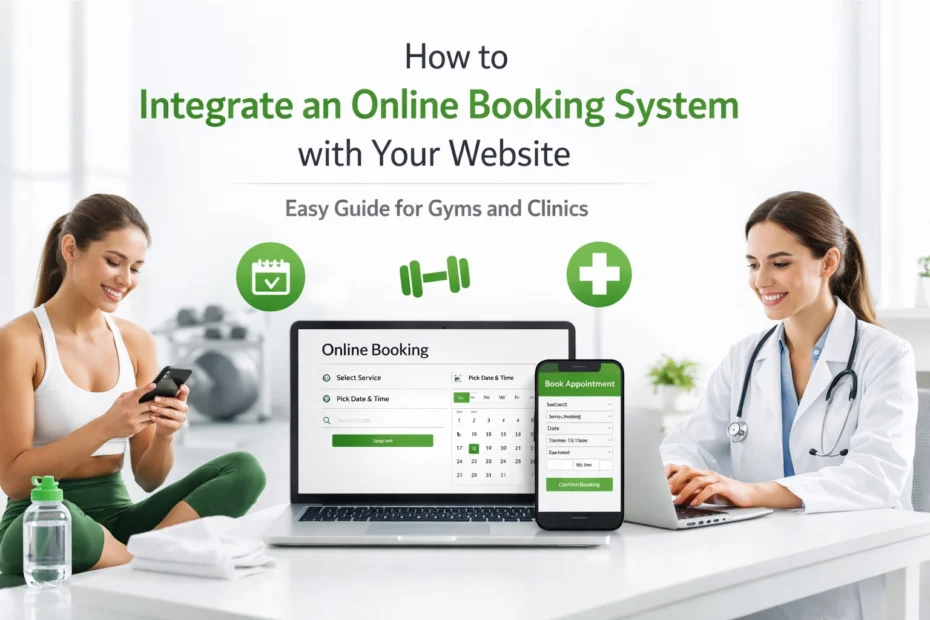
Recognize the Strategic Value of Online Scheduling
Establishing an online booking system is crucial for the modern operation of gyms and clinics in Canada. In a digital-first environment, clients expect the ability to manage their appointments and class registrations at their convenience without needing to place a phone call. This transition from manual to automated scheduling is vital for maintaining a competitive edge and ensuring that administrative resources are used efficiently.
When a clinic or fitness centre allows for 24/7 booking, it effectively captures leads that might otherwise be lost during non-business hours. As a result, the business becomes more accessible to busy professionals and parents who prefer to organise their schedules in the evening. In addition, an automated system reduces the risk of human error, such as double-bookings or lost appointment slips, which can negatively impact the reputation of a professional service provider.
Select a Platform That Aligns with Business Requirements
The first step in the integration process is identifying a software solution that matches the specific needs of your facility. Gyms often require features like recurring membership billing and class capacity management, while clinics may prioritize patient privacy and medical history intake forms. It is essential to choose a platform that offers a balance between user-friendly interfaces and robust backend management.
You should evaluate several key features during the selection process. Calendar syncing is perhaps the most important functionality, as it ensures that your staff schedules remain updated across all devices in real-time. Automated reminders are also key, as they significantly reduce the rate of no-shows by sending text or email notifications to clients 24 hours before their scheduled time. Finally, ensure the platform supports Canadian payment processors to handle transactions in local currency securely.

Define Services and Staff Availability
Before you can integrate the system into your website, you must clearly define what you are offering. This involves categorising services, setting durations, and assigning specific staff members to certain tasks. For a clinic, this might mean separating initial consultations from follow-up treatments. For a gym, it might involve distinguishing between personal training sessions and group yoga classes.
Defining availability is equally important to prevent scheduling conflicts. You must set your standard business hours and then overlay the individual schedules of your practitioners or trainers. Most modern systems allow you to block off holiday periods or personal time with ease. This level of detail ensures that when a client visits your website creation pages, they see only the times that are truly available for booking.
Facilitate Seamless Payment Processing
Integrating a secure payment gateway is a fundamental component of an effective booking system. By requiring payment or a deposit at the time of booking, you establish a commitment from the client and improve your business's cash flow. It is essential to use a system that complies with industry standards for data security to protect sensitive financial information.
Most booking platforms integrate directly with established payment providers like Stripe or PayPal. Once connected, these systems can automatically handle refunds, generate invoices, and track revenue for tax purposes. In addition to standard credit card payments, you may want to consider systems that support recurring billing for gym memberships or package deals for clinic treatments. This approach simplifies the financial relationship between you and your clients.

Complete the Technical Website Integration
The actual integration of the booking system typically involves one of three methods: code snippets, dedicated plugins, or direct API connections. For most Canadian small businesses, the simplest method is using a code snippet or a widget. This involves copying a small block of code provided by the booking software and pasting it into the backend of your website.
If your site is built on WordPress, you may have access to dedicated plugins that offer deeper integration. These plugins allow the booking calendar to appear as a native part of your page design rather than an external pop-up. Regardless of the method, it is vital to place the booking button in a prominent location, such as the header or a dedicated "Book Now" section. Having a clear call to action is a major part of the importance of having a strong online presence.

Customise the User Interface to Match Your Brand
Maintaining brand consistency is essential when adding third-party tools to your website. If the booking system looks drastically different from the rest of your site, it can create a jarring experience for the user and may even lead to a lack of trust. Most booking platforms allow for basic customisation, such as changing button colours, font styles, and header images.
You should aim to match the primary colours of your gym or clinic to the booking widget. In addition, ensure that the language used in the booking process reflects your professional tone. For example, a medical clinic might use more formal terminology, while a fitness centre might use more energetic and motivational phrasing. For businesses looking for a professional finish, our team at ONLINEid can assist in styling these integrations to look like a bespoke part of your design.
Prioritise Mobile Compatibility and User Experience
A significant majority of online bookings are completed on mobile devices. Therefore, it is crucial that your chosen booking system is fully responsive and functions perfectly on smartphones and tablets. If the calendar is difficult to navigate on a small screen, potential clients are likely to abandon the process and seek services elsewhere.
Testing the user journey on multiple devices is a necessary step before going live. Check for ease of use in selecting dates, filling out forms, and entering payment details. If you find the mobile experience is lacking, you may need to adjust the placement of the widget or switch to a more mobile-optimised platform. Providing a smooth mobile experience is a key factor in converting visitors into loyal customers.

Automate Client Communication and Follow-Ups
The value of a booking system extends beyond the initial appointment. Automation should be used to manage the entire lifecycle of the client's visit. This starts with an immediate confirmation email containing the appointment details and any preparation instructions, such as what to wear for a physical therapy session or a gym induction.
In addition to reminders, you can use the system to send follow-up messages or requests for reviews. Gathering feedback is essential for the growth of local businesses. You can direct satisfied clients to your google-review page to help build your online reputation. By automating these communications, you ensure that no client is forgotten and that your marketing efforts continue long after the appointment is over.
Evaluate Performance and Optimise Regularly
Once the system is integrated and operational, you must monitor its performance to ensure it meets your business goals. Most booking platforms provide analytics that show which services are the most popular, which staff members have the highest booking rates, and where users might be dropping off in the booking process.
Regularly reviewing this data allows you to make informed decisions about your business. If you notice a particular time slot is always empty, you might consider offering a discount for that period. Conversely, if a specific service is always fully booked, it might be time to hire additional staff or increase your prices. Continuous optimisation ensures that your website remains a powerful tool for revenue generation. If you require technical assistance with these updates, you can always contact our experts for support.
In conclusion
Integrating an online booking system is an essential step for any gym or clinic looking to modernise its operations and improve the client experience. By selecting a platform that offers key features like calendar syncing, automated reminders, and secure payment processing, you can significantly reduce administrative overhead. Ensuring that the system is properly configured, aesthetically consistent with your brand, and fully optimised for mobile users is vital for success. As a result of this integration, your business will become more accessible to clients and more efficient in its daily management. Finally, by using the data provided by these systems to refine your offerings, you can ensure long-term growth and a stronger online presence in the Canadian market.
Call Rachel for a consultation
For a consultation, call Rachel at 705-998-4126. This number is voice calls only and does not accept text messages, as Rachel is a voice model.