
Google Business Profile and Reviews Help
Google Business Profile and Google Reviews: Setup and Fixes
How to set up your Google Business Profile, what to do when it will not verify, will not show on Maps or gets suspended, and how to get and show more Google reviews.
The short answer: your Google Business Profile is the free listing that shows your business on Google Search and Google Maps. To set it up, sign in at business.google.com with a Google account you will keep, add your business name, category, address or service area, phone number, hours and website, then verify it the way Google asks.
If you would rather have it done for you, our Google Placement is $99: we put your business, contact details and website onto Google and Google Maps properly. Our Google Reviews add-on ($150) shows your own Google reviews on your website.
What We Do
Two fixed prices, then help when Google changes things.
Setup and verification
Profile created or claimed under your own account, the right category, hours and service area, then verified.
Not showing on Maps
We check the usual causes: an unverified or duplicate listing, a wrong address or service area, a category that does not match, or a suspension.
Reviews on your website
Your real Google reviews shown on your site. We never write, buy or filter reviews.
Your listing stays yours
The profile should be owned by your own Google account. Anyone who helps you, us included, should be added as a manager you can remove.
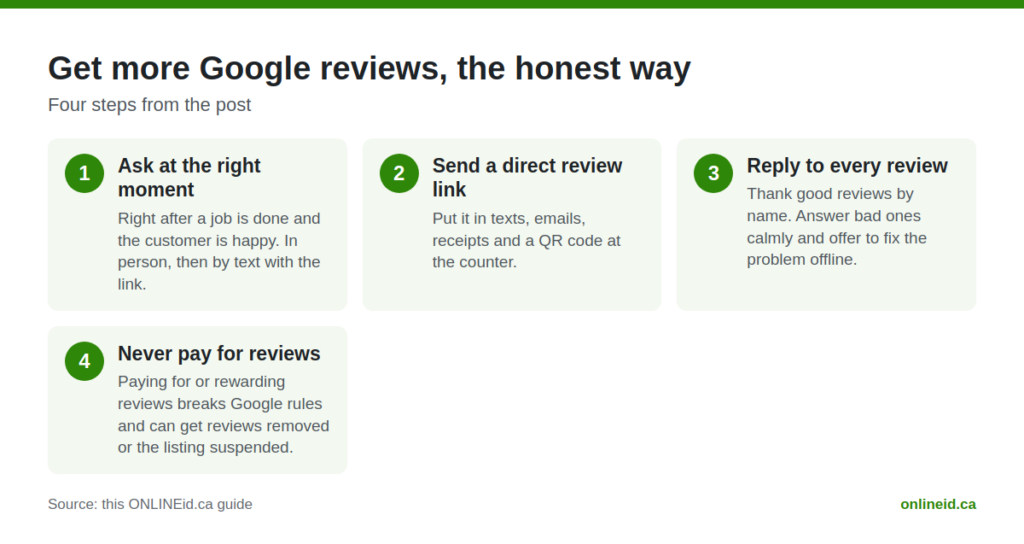
Get More Google Reviews, the Honest Way
Ask at the right moment
Right after a job is done and the customer is happy. In person, then by text with the link.
Send a direct review link
Google gives you a short link to your review form. Put it in texts, emails, receipts and a QR code at the counter.
Reply to every review
Thank good reviews by name. Answer bad ones calmly and offer to fix the problem offline.
Never pay for reviews
Paying for or rewarding reviews breaks Google rules and can get reviews removed or the listing suspended.
Google Business Profile and Reviews Guides
- Google Reviews on Website: How to Embed Them Step by Step
- Local Business Secrets Revealed: 5 Overlooked Ways Your Opening Hours Can Win or Lose Customers Online
- Local Digital Growth: Why a Simple Google Placement Gets Your Simcoe County Business on the Map
- 6 Mistakes Local Businesses Make with Online Reviews (and How to Fix Each One)
- Local Digital Growth: How to Optimise Your Google Business Profile to Win More Customers in Simcoe County
- 10 Reasons Your Website Needs an FAQ Page Right Now (Since Google Removed GBP Q&As)
- Google Business Profile Secrets Revealed: How to Avoid the 2026 Spam Crackdown
- Is Your Google Business Profile Dead? 7 Things Toronto Businesses Should Do Right Now
Google Business Profile Questions
Is a Google Business Profile free?
Yes. Google does not charge for the profile. You pay only if you want someone to set it up or look after it for you, like our $99 Google Placement.
Why is my business not showing on Google Maps?
The common causes are an unverified profile, a duplicate listing, a wrong address or service area, a category that does not match your searches, or a suspension. Fix those first.
Can I have a Google Business Profile without a shop address?
Yes. A service-area business can hide its address and list the towns it serves instead.
Can a business delete a Google review?
No. You can report a review that breaks Google policies, and Google decides. You can always reply to it.
How do I show my Google reviews on my website?
With a reviews widget that pulls your real reviews from Google. Our Google Reviews add-on does this for $150.