

A customer finds you at 9 pm after a long day, fills in your contact form, taps send, and then gets nothing. Maybe there is a tiny line that says “Message sent” on a page that looks half finished. They close the tab and wonder if anyone will ever read it.
If you run a trade, salon, gym, clinic, restaurant, shop or realty business in Innisfil, Barrie, Bradford West Gwillimbury or anywhere else in Simcoe County, that quiet moment matters more than you might think. The customer has just done the hard part. A good website thank you page is your chance to say “we got it, and here is what happens next” while their attention is still on you.
Treat the Moment After Send as Part of Your Service
Most owners put all their effort into getting people to the form. Very few think about the page that appears right after. Yet this is the one moment when you know, for certain, that someone wants to deal with you.
Think of it like the counter at your shop. You would never let a customer place an order and then turn your back. A thank-you page is the friendly nod that says, “We have you.” Here are five things it can quietly do for you.
1. Set Expectations on When You Will Reply
The biggest worry after pressing send is simple: “Did that work, and when will I hear back?” Answer it right on the page. A line such as “We reply to every message within one business day” calms people down and stops the second enquiry sent to a competitor “just in case.”
Only promise what you can keep
If you are on a job site all day, do not promise an hour. Say what is true: “We check messages each morning and each evening.” A realistic promise you keep beats a fast one you miss.
Mention your hours
People often submit forms outside your hours. Tell them plainly when someone will be back at the desk. If your hours are unclear online, our post on how your opening hours can win or lose customers online is a good companion read.
2. Offer the Phone Line for Anything Urgent
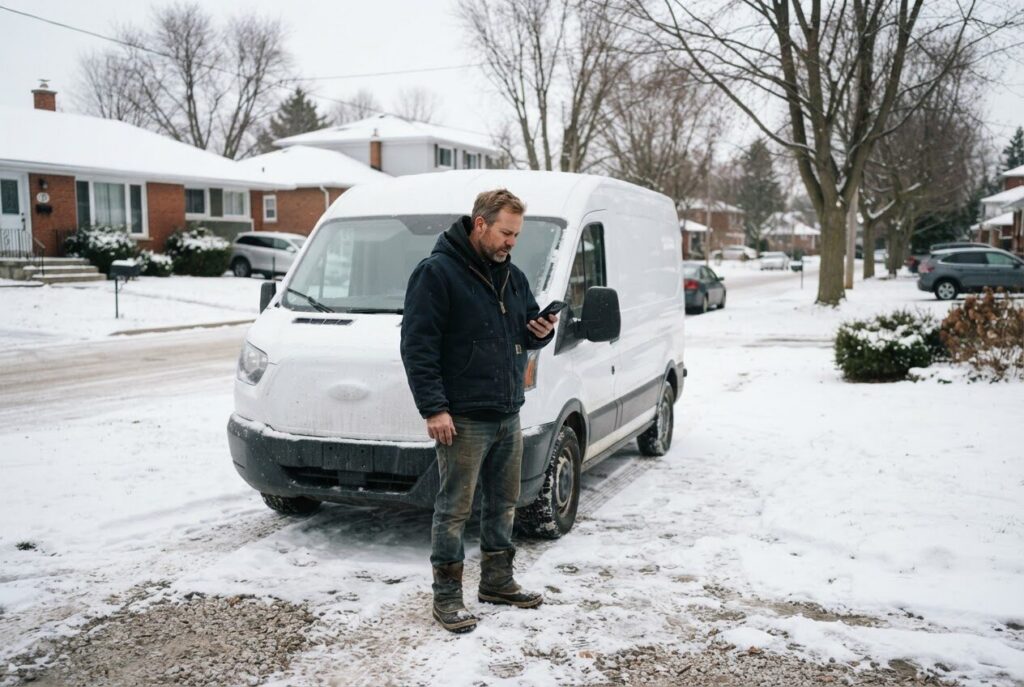
Not every enquiry can wait for an email. A burst pipe, a furnace that quit in November, a cracked tooth or a last-minute table for twelve all need a faster answer. If your thank-you page only says “We will be in touch,” that customer may start calling someone else.
Add a clear line such as “Need us sooner? Call us now” with your number as a tap-to-call link on phones. Most people search and browse on their phone first, so one tap should be all it takes.
This is how we do it ourselves. ONLINEid.ca has an A.I. answering line at (289) 807-6364. It answers any time and puts the caller through to the team, so urgent questions do not sit in an inbox. If you are a clinic, add a short note that medical emergencies should go to 911 rather than a web form.
3. Point to Helpful Next Steps
Right after someone sends a message, they are still in the mood to learn about you. Do not leave them at a dead end. Give them two or three useful places to go while they wait.
- Trades: a short “How to prepare for our visit” page, or the areas you serve around Alcona, Lefroy, Cookstown and Orillia.
- Salons and gyms: what to bring to a first visit, your price list or your class schedule.
- Clinics: how to prepare for a first appointment and what forms to have ready.
- Restaurants: your menu, your events and where to park.
- Realtors: a buyer or seller guide, or a link to current listings.
These pages answer questions before they are asked, which saves you time on the phone. They also keep the visitor on your site instead of drifting back to search results. If you are wondering what else may be leaking customers on your site, 10 reasons your site isn’t turning local clicks into customers walks through the common ones.

4. Invite a Booking or a Review
A thank-you page can ask for a small second step while the customer is warm. What that step is depends on your business.
Invite a booking
If someone has asked about a haircut, a personal training session or a quote, a “Pick a time that suits you” button can turn an enquiry into a confirmed slot on the spot. For a restaurant, it might be a link to reserve a table. For a realtor, it could be a button to book a showing or a call.
Invite a review, carefully
Asking someone who has only just enquired for a review is a bit early. A better approach is a gentle line such as “Already a customer? We would love to hear how we did,” with a link to your Google reviews. Repeat customers who stumble onto the form get a natural way to speak up.
Reviews also help new visitors decide. If you want them on your own site as well, we offer a Google Reviews add-on for $150 that shows your business’s Google reviews on your website. And if your business is not on Google and Maps yet, our Google Placement is $99. Both are listed on the Services & Pricing page.
5. Let the Owner See Which Enquiries Come From Where
This one is the real secret, and it is for you rather than your customer. A thank-you page has its own web address that only appears after a form is sent. That means your website statistics can count each visit to it as one finished enquiry.
Why does that matter? Because most owners can say “the phone rang more this month” but cannot say why. With a proper thank-you page, you can start to see which pages, search results, social posts or Google listings are bringing in real enquiries, not just visitors who look and leave.
What you can learn
- Which service page produces the most messages.
- Whether people from Newmarket, Aurora or the wider GTA are finding you, or mostly locals from Innisfil and Barrie.
- Which of your posters, ads or posts are worth the money.
It will not predict anything or guarantee results. But it replaces guesswork with something you can look at, which makes it easier to spend your time and budget where enquiries actually come from.
Put a Good Thank-You Page Together This Week
You do not need to do all five at once. Start with the easiest wins: a clear reply time, your phone number and two helpful links. Then add a booking button and the tracking when you are ready.
Keep the page short, warm and in your own voice. Use your real photos, your real hours and the colours and look of the rest of your site. A generic “Thank you” with a stock image can feel as cold as the blank screen it replaced.
If you have been wondering what else on your site could be quietly working harder, our six small things local businesses overlook is a good next read. Many of them take under an hour to fix.
A custom website gives you full control over what happens after every form. At ONLINEid.ca we build custom sites with no generic templates for businesses in Innisfil, Simcoe County and the Greater Toronto Area, so the page after “send” can fit your business and not a one-size-fits-all box.

Not sure what your own contact form does after someone hits send? Book a free consultation with ONLINEid.ca. A team member will look at your business and your site, then make a plan with you, with no pressure and no jargon.