
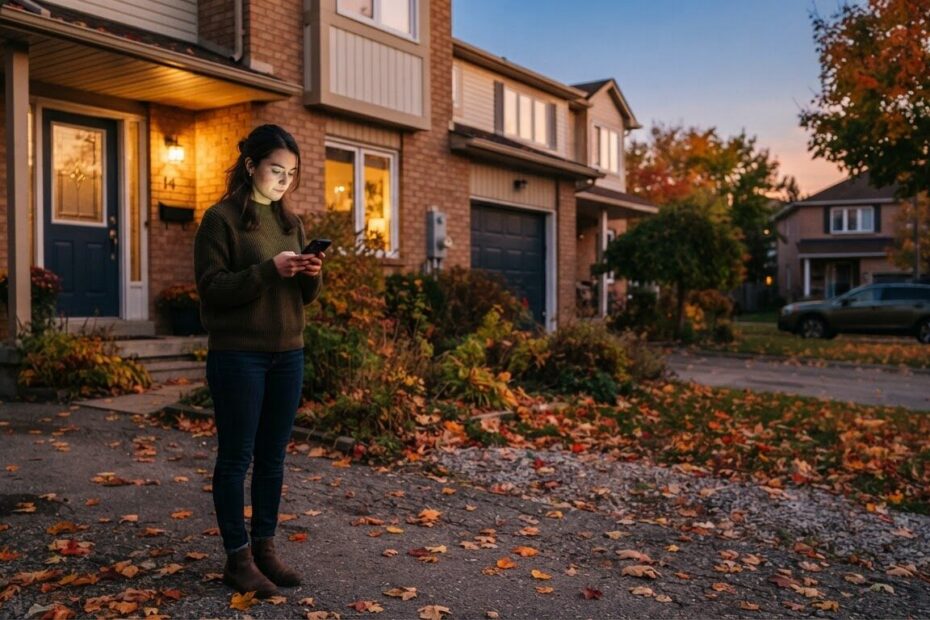
It is 5:40 on a Tuesday evening in October. A homeowner in Alcona has just noticed the furnace is not kicking on, and the house is getting cold. She picks up her phone, searches for help, and opens the first few results. She is not going to read your story page or compare packages. She wants to talk to a person, and she wants to do it with one tap.
This is the moment a click to call button on your website is built for. It is a small thing, but it decides whether that person calls you or moves on to the next business in the list. For trades, salons, clinics and restaurants in Innisfil and across Simcoe County, it can change how many calls come in and how well you handle them.
Start With How Your Customers Actually Find You
Most people search on their phone first, especially when the need is local and urgent. They are standing in a driveway, sitting in a parking lot, or holding a toddler with one hand. Their attention is short and their thumb is busy.
On a phone, typing a phone number from memory or copying it into the dialer is a chore. If your number is a small line of grey text in the footer, many visitors will not find it. If it is not tappable, they have to do extra work. Some will do that work. Many will simply go back to the search results and tap the next name.
A click to call button website visitors can see immediately removes that friction. One tap, and the phone is ringing in your shop, your clinic or your truck.
Put a Tap-to-Call Button Where a Thumb Can Reach It
A tap-to-call button is simply a button or link that starts a phone call when it is tapped on a mobile device. It sounds minor, but where you place it matters a great deal.
Make it visible without scrolling
Put it at the top of the page, in the header, where a visitor sees it the moment the site opens. Use clear words such as “Call now” or “Call us” rather than only a phone icon. Many people do not stop to guess what a small symbol means.
Keep it with them as they scroll
Some sites keep the call button fixed to the bottom or top of the screen as the visitor scrolls. That way the option is always one tap away, whether they are reading about your services or checking your reviews. This works well on a long page with a lot of detail.
Make the number tappable everywhere
Check your contact page, your footer and any place the number appears in text. Each one should start a call when tapped. It is a common oversight that a number appears in three places and only works in one.
Keep the Enquiry Form Short for People Who Prefer Not to Call
Not everyone wants to phone. Some are at work, some are in a waiting room, and some simply prefer to write. A short enquiry form gives them a second easy way to reach you.
The key word is short. Every extra field is another reason to give up. For most local businesses, a name, a phone number or email, and a box for the question is plenty. You can sort out the details once you are talking to the person.
- Ask only what you need to reply. A name and one way to reach them.
- Say what happens next. A line such as “We will get back to you as soon as we can” sets expectations.
- Make it work on a small screen. Big fields, big button, no pinching and zooming.
- Test it yourself. Send a message from your own phone and see what arrives.
If you want to go deeper on what stops visitors from reaching out, our post on 10 reasons your site isn’t turning local clicks into customers walks through the common problems.
Show Clear Hours on Every Page
Think about the question a customer asks before calling: “Are they open right now?” If the answer is hard to find, they may hesitate, or they may call and get no answer, which feels worse than not calling at all.
Put your hours in the footer so they appear on every page, and again on the contact page. If you have different hours for holidays or the winter season, update them as soon as they change. Nothing frustrates a customer in Cookstown or Bradford West Gwillimbury more than driving over to a closed door.
Clear hours also change the kind of call you receive. When people know when you are open, they call at the right times, and the calls you do get are more likely to be ready to book or buy.
See How It Plays Out for Different Local Businesses
Trades
A plumber, electrician or HVAC company often wins the job simply by being the first to answer. Customers with a problem will tap the first number that picks up. A call button on every page puts you in the running, and a plan for answering it keeps you there.
Salons
Many salon clients book from the couch in the evening. A call button works for quick questions, and a short form lets them request a time without waiting for opening hours. Clear hours also stop people from calling when the chairs are empty and you are closed.
Clinics
People looking for a clinic in Barrie or Newmarket often want to ask one thing: are you accepting new patients, or do you offer a certain service? A clear call option and posted hours save the front desk from repeating the same answers, and they help patients feel looked after before they walk in.
Restaurants
A diner checking whether you have a table tonight, or whether you do takeout, is deciding fast. A tap-to-call button and visible hours turn a quick question into a reservation or an order. A phone number buried in a menu image does not do that.
Change How You Handle the Calls That Come In
Here is the part many owners do not expect. When calling becomes easier, you may get more calls, and they come at the busiest times. A button does not answer the phone for you.
That means a few small habits are worth building:
- Decide who answers. Name one person for each shift so a ringing phone is never everyone’s problem and no one’s job.
- Use a simple greeting. Business name, your name, and a friendly “How can I help?” is enough.
- Keep a notepad or shared note handy. Write down the name, number and what they need, so nothing is lost between jobs.
- Return missed calls quickly. A fast call back often keeps the customer from trying someone else.
If you are on a roof, in a treatment room or at the stove, you cannot always pick up. That is normal, and it is exactly why a plan for missed calls matters.

Cover After-Hours Calls So No One Goes Unanswered
Customers do not only search during business hours. They look in the evening, on weekends and early in the morning. A call that rings out is a lost chance, and a voicemail box that nobody checks is not much better.
An answering line solves this. ONLINEid.ca uses an A.I. answering line at (289) 807-6364 that picks up at any time and puts the caller through to the team. It is a good example of the idea: the caller is greeted straight away, and a person is brought in rather than the call going nowhere.
For your own business, the principle is the same. Whether you use a staffed service, an automated line or a well-managed voicemail, the goal is that no call is left without a response. Make sure your website says what callers can expect after hours, such as “We will return your call the next morning,” so they know they have been heard.
Check That the Whole Experience Works on a Phone
A call button only helps if the rest of the site holds together on a small screen. Text should be readable without zooming, buttons large enough for a thumb, and pages quick to load on a mobile connection, which can be patchy out on a rural road near Lefroy or Orillia.
If you want to understand why this matters so much, read our post on why mobile-first website design changes how you get local customers. It covers how to think about your site starting from the phone rather than the desktop.
Get the Basics in Place Before You Do Anything Fancy
You do not need a large project to get this right. Here is a simple order of work:
- Add a clear, tappable call button at the top of every page.
- Make sure every phone number on the site starts a call when tapped.
- Add a short enquiry form with only the fields you need.
- Show your hours in the footer and on the contact page.
- Decide how calls are answered during the day and after hours.
If you also want people to find you in the first place, ONLINEid.ca offers Google Placement for $99, which puts your business, contact details and website onto Google and Maps. A simple professional website starts from $500 setup. You can see the full list on our Services & Pricing page.
Make It Easy for the Next Customer to Reach You
Every business in Innisfil, Simcoe County and the wider GTA is trying to be found by someone with a need and a phone in their hand. The ones that win are often not the biggest. They are the ones that are easiest to reach.
A tap-to-call button, a short form and clear hours do not take long to set up, and they remove the small obstacles that send customers elsewhere. Add a plan for answering calls, including after hours, and you have turned a quiet website into a working front door.

If you would like help working out what your website needs, book a free consultation with ONLINEid.ca at https://onlineid.ca/contact/. A team member will look at your business and make a plan with you, with no pressure and no jargon.